Tracklified has two layers of duplicate protection:
- Byte-identical duplicates are skipped for uploads that go through Tracklified's upload endpoint — web, mobile, or Chrome extension. If the image bytes match a receipt already processed in your account, the second upload doesn't create a new receipt.
- Likely duplicates (slight variants: same receipt, different scan quality; same purchase, photo + email forward) are auto-grouped after upload. A group shows in your receipts list as a single entry with a grouped banner.
Other ingestion paths (email forwarding, integrations like Gmail) don't run the byte-identical pre-check and rely on the post-import grouping layer to catch duplicates.
What auto-grouping looks like
If you open a receipt that Tracklified grouped with others, you'll see a banner indicating the group.
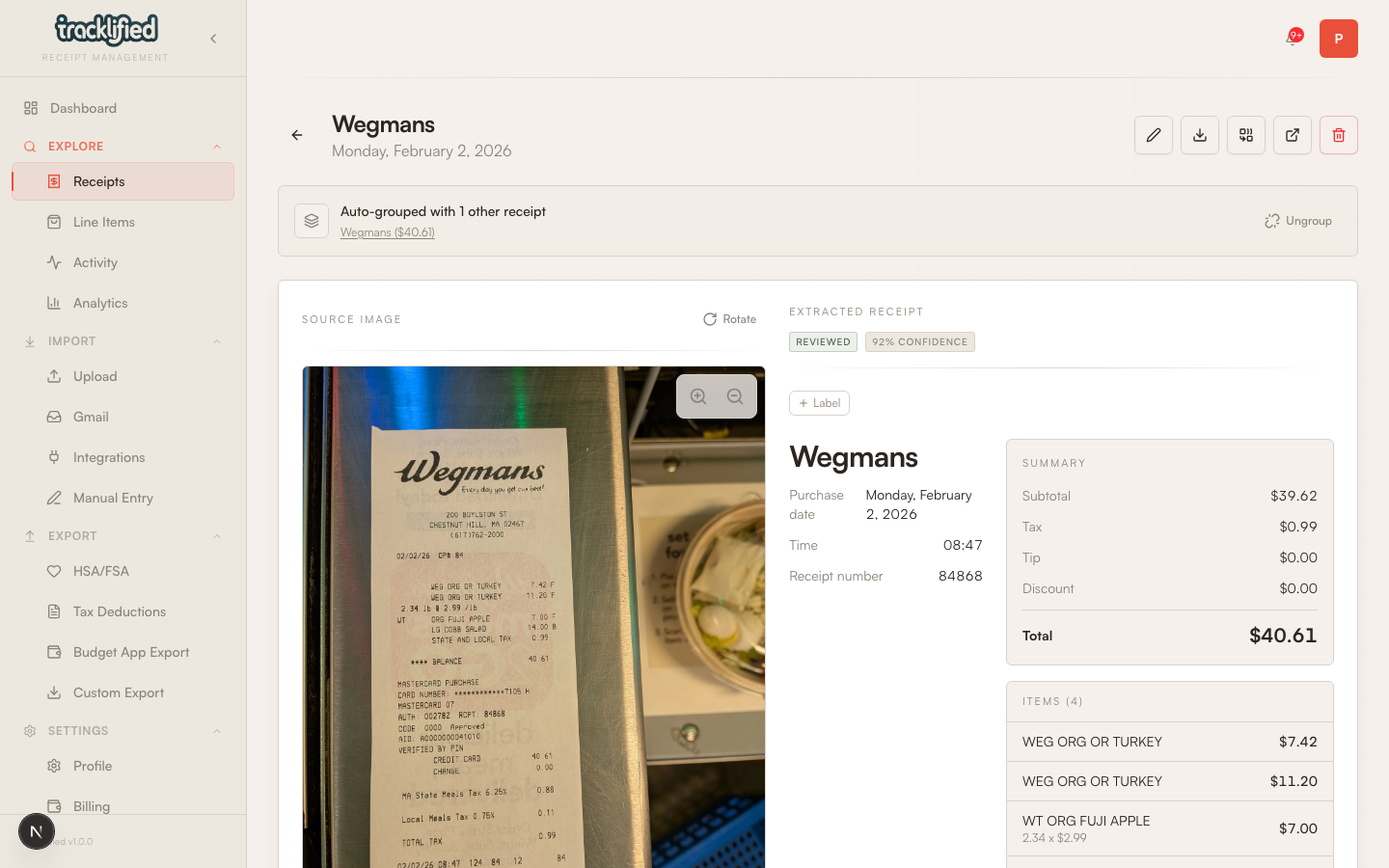
Click Ungroup if you want each receipt to appear separately in your list. The group breaks and every receipt becomes a standalone entry.
If you uploaded the same receipt twice
Through the web uploader: the second upload was blocked (assuming the first was already processed). Nothing to clean up.
Through email or integrations: both may have landed as separate receipts, then been auto-grouped if they look similar enough. Leave as a group, or ungroup if you need each version tracked separately.
Why does this happen?
Common causes:
- Photo + email forward. You snapped a photo AND the store emailed the receipt.
- Extension + email. Same order receipt captured two ways.
- Re-uploading. You forgot whether you'd already added it.
Preventing duplicates upstream
- Use the Tracklified email address at checkout so email handles the receipt.
- If you forwarded manually, wait for it to appear before photographing the paper version.