HSA and FSA reimbursement shouldn't require a shoebox. Tracklified can auto-apply the HSA/FSA label to medical receipts, and exports them from a dedicated page when it's time to submit.
Tagging HSA / FSA receipts
When you add a receipt, the AI evaluates whether it looks medical (pharmacies, doctors, vision, dental, etc.) and applies the HSA/FSA label automatically when it's confident. You can also apply the label manually from any receipt.
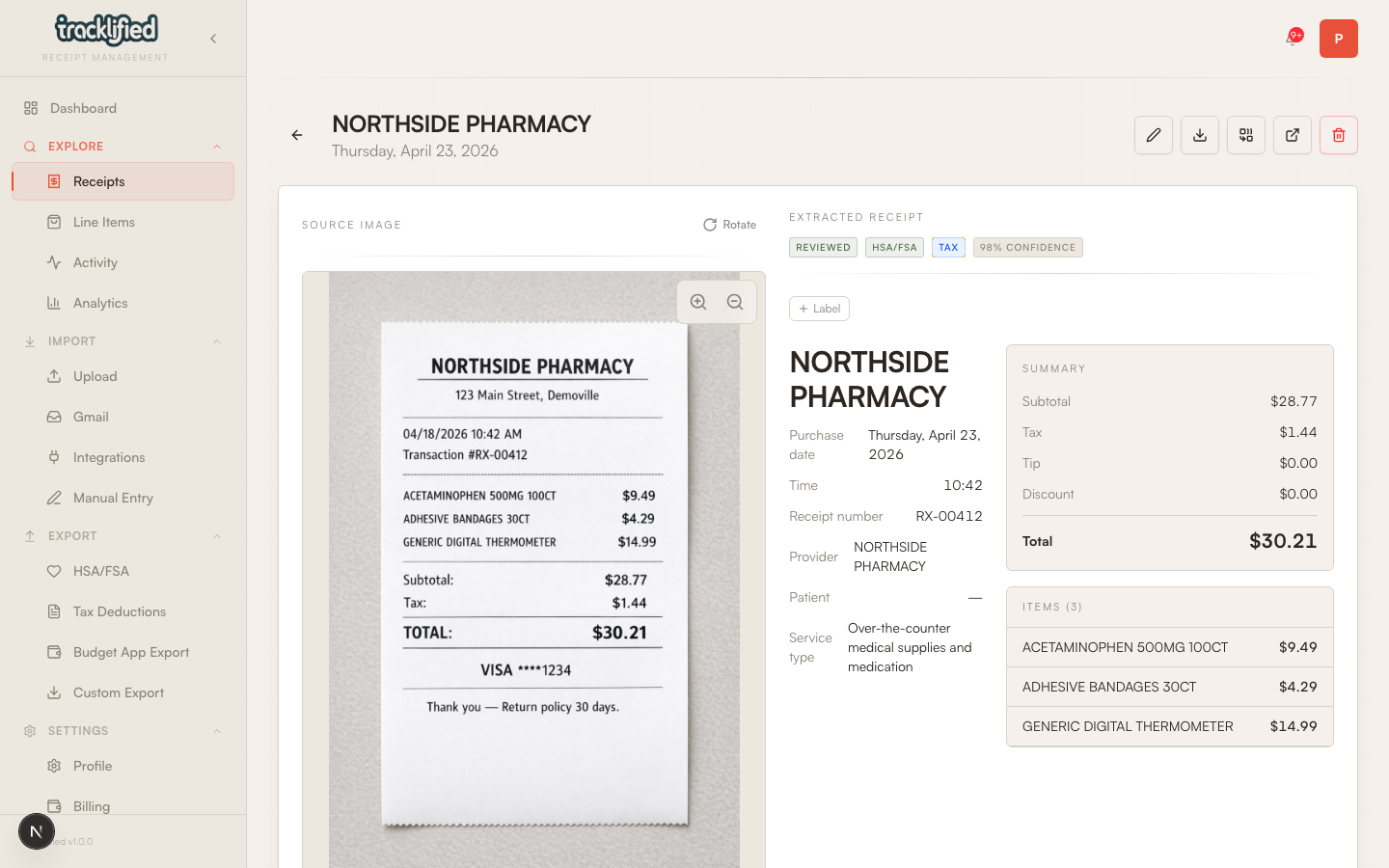
If the AI misses one, open the receipt, go to labels, and add HSA/FSA yourself. If it tags one that isn't actually eligible, remove the label the same way.
The app doesn't ship a hardcoded eligibility list. It uses the AI's evaluation of the merchant and line items.
Exporting for reimbursement
Go to HSA / FSA in the dashboard (or /dashboard/hsa).
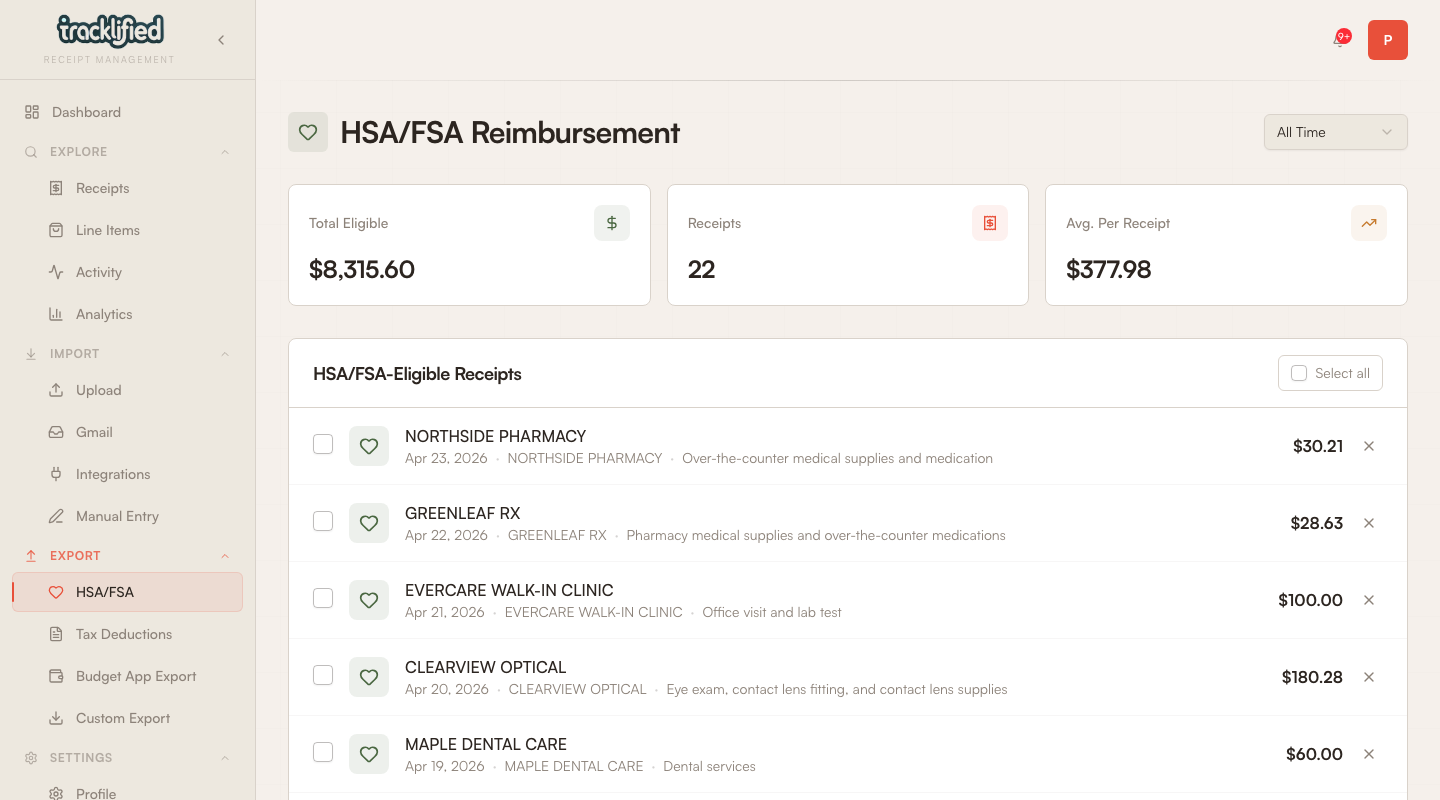
Pick the year. If you have receipts in more than one currency, a currency picker appears too. The page shows eligible totals, number of receipts, and the list. Exports available:
- CSV — flat rows with merchant, date, amount, and context
- XLSX — Excel-native
- JSON — structured
- ZIP — bundle with receipt images included
Most HSA administrators accept CSV or XLSX with the receipt images from a ZIP attached separately. Some want just images — the ZIP handles that.
What the IRS wants to see
For eligible receipts, administrators typically want to see:
- Merchant name
- Date of service or purchase
- Amount paid
- Description of the item or service
Tracklified captures all of this from the original receipt. The export includes these fields.
Saving for audit
Keep your export file for 3 years after the tax year. Receipts stay in your account indefinitely, so you can re-export anytime.