The receipts page has three view modes. Toggle in the top right.
List view
One receipt per row: merchant, date, status, amount. Densest view, fastest to scan.
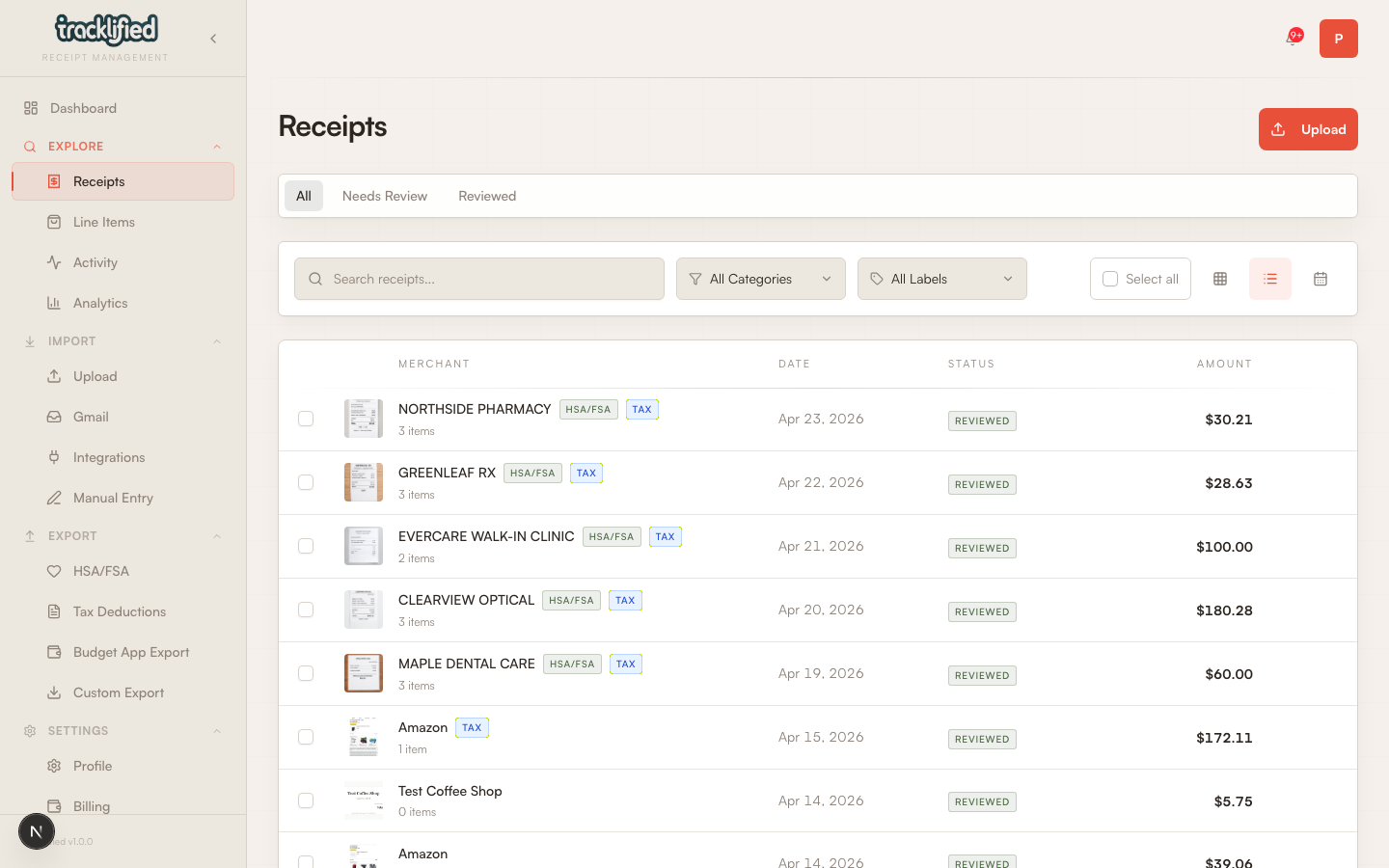
Best for: finding a specific receipt, scanning end-of-month activity, reviewing reviewed-vs-needs-review status.
Results default to newest first.
Grid view
Thumbnails of the actual receipt images, laid out in a grid.
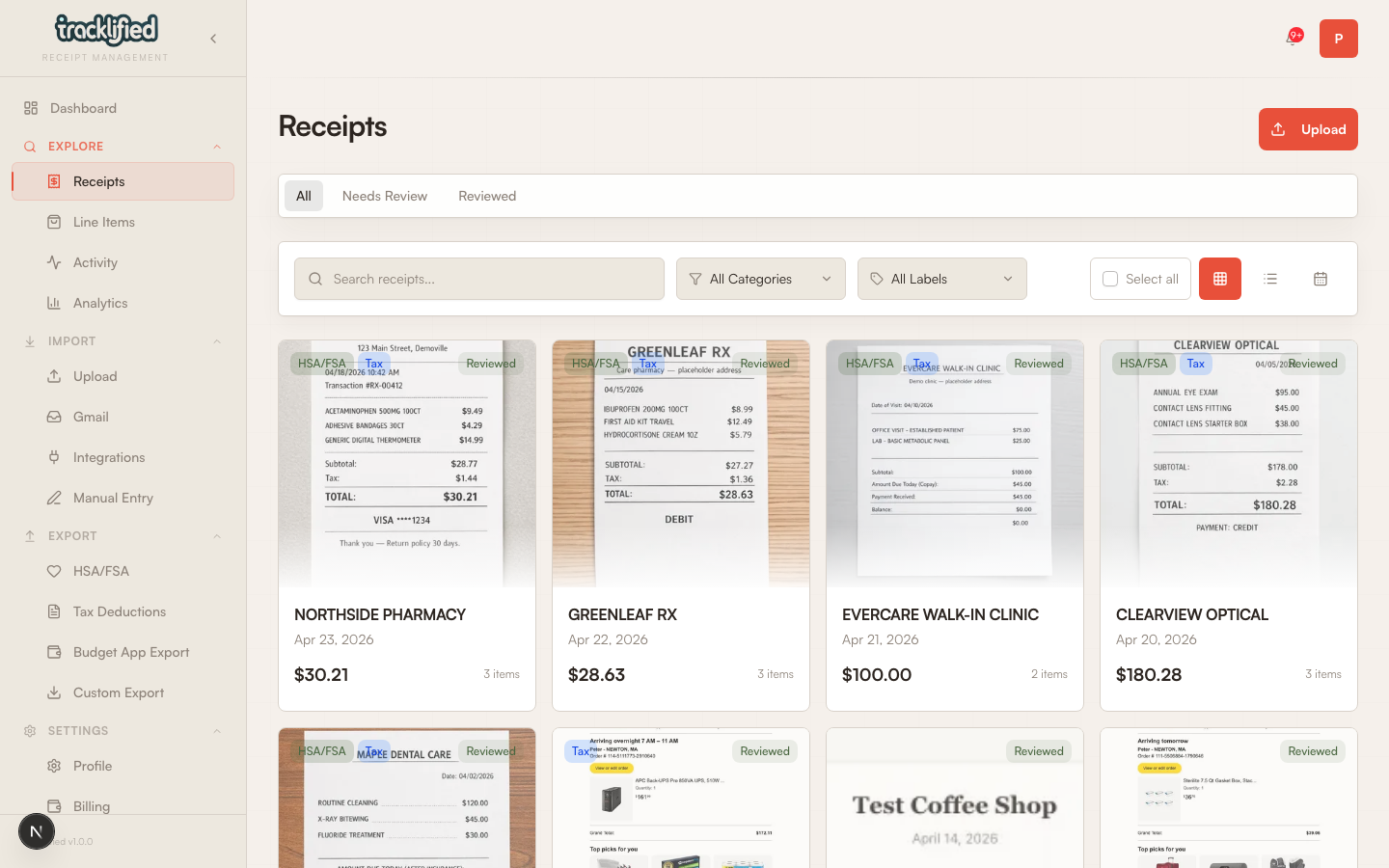
Best for: visual recall ("I remember the receipt was on yellow paper"), browsing a date range, or showing someone a batch of receipts.
Calendar view
Receipts dropped on the calendar by transaction date. Days with more receipts show a +N more badge.
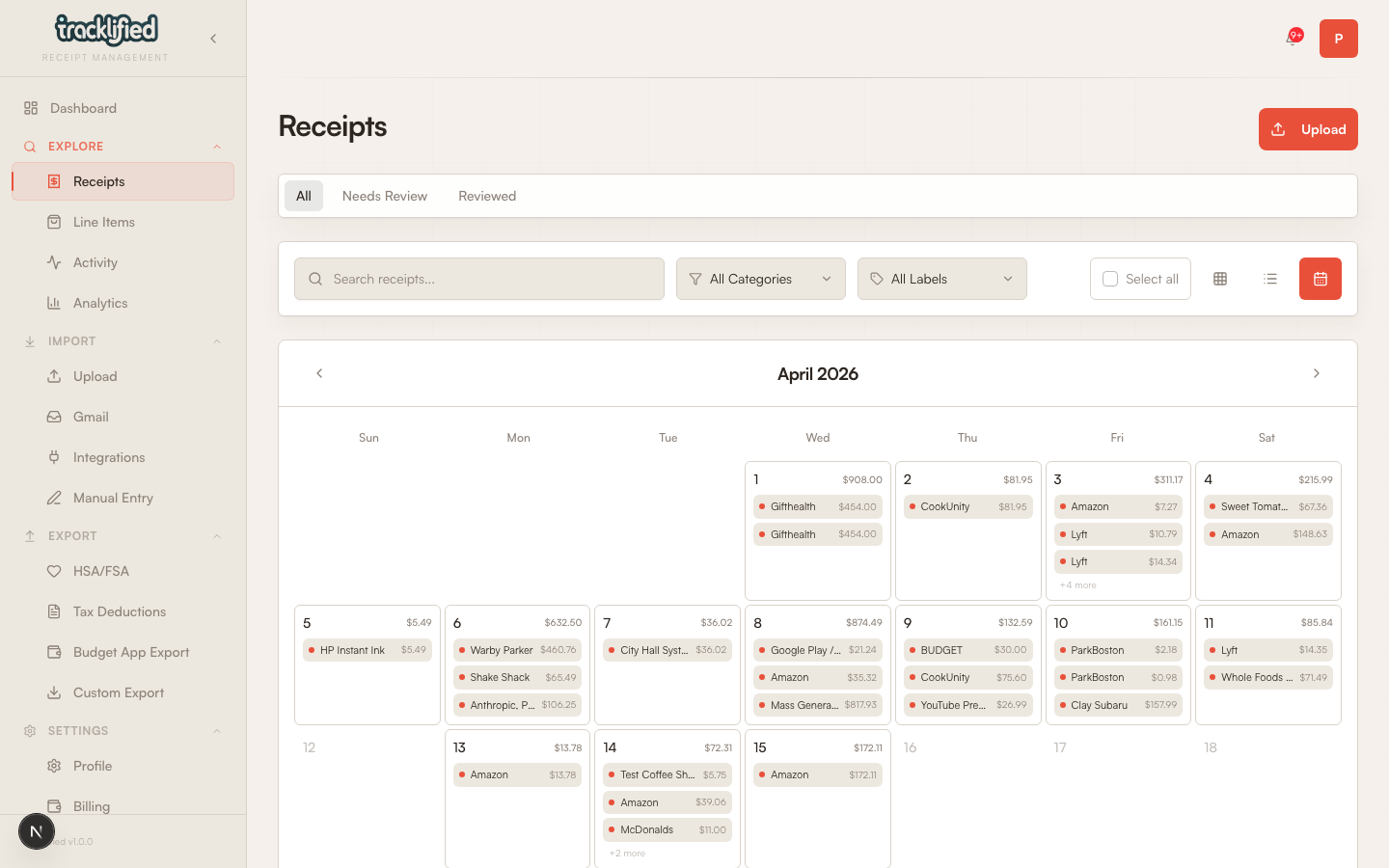
Best for: seeing spending patterns across a month, catching days you forgot to log.
Filters
Search and label filters carry across all three views. Category filtering currently applies to the list and grid views — the calendar view uses its own fetch and may not fully honor the category filter yet.